
Resetting a Used Phone Isn't Just One Button -- Wipe Your Google or Apple Account First, or the Next Owner Can't Use It
When people hand off a used phone, most think tapping the reset button in Settings finishes the job. But separate from the reset itself, there's a second layer called an account lock. Android calls it 'Factory Reset Protection (FRP)' and iPhone calls it 'Activation Lock' -- and if you reset the device without removing the account first, the next person ends up with a phone they can't even turn on properly. Skip the order and both the buyer and the seller end up stuck.
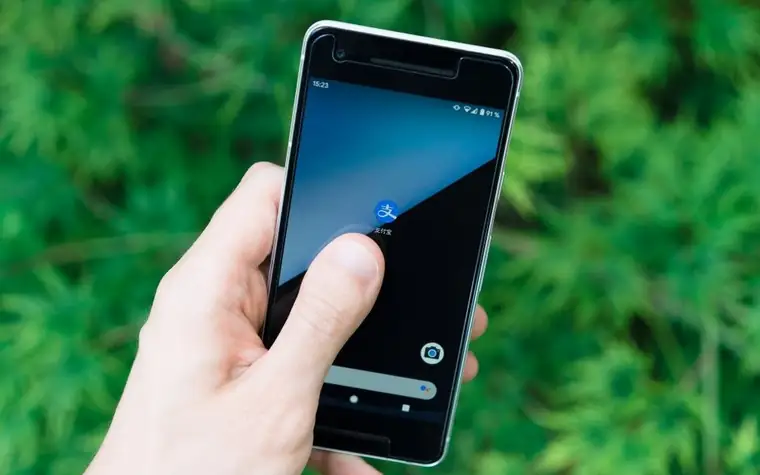
One Reset Button Isn't the End of It -- Account Locks Can Still Be Active
On Android, You Have to Remove the Account First to Clear "Factory Reset Protection"
Factory Reset Protection (FRP) is a security feature that turns on automatically the moment you register a Google account on any device running Android 5.1 Lollipop or later. If you reset the device without removing that account first, whoever turns it on next has to sign in with the Google account that was registered before the reset before they can go any further. On a Galaxy phone, before resetting, go to Settings → Accounts and backup → Manage accounts, select the Google account, and delete it -- only once every registered account is removed does FRP turn off as well.
On iPhone, You Have to Turn Off "Find My iPhone" or Activation Lock Stays On
iPhone's Activation Lock works the same way. According to Apple's own support guidance, you can turn it off manually via Settings → [your name] → iCloud → Find My iPhone, or run "Erase All Content and Settings" from Settings → General → Transfer or Reset iPhone, which turns off both Find My and Activation Lock together as long as the device is connected to the internet during the process. If the device gets wiped forcibly while offline instead, the next owner will be asked to enter the original owner's Apple ID and password before they can use it at all.
If You Already Got a Locked Phone -- Ask the Seller to Remove It Remotely
If a used phone you bought is stuck on an account sign-in screen, the first move is to contact the seller and ask them to remove the device remotely from their own account. On Google's side this is done through the device management menu on the account page; on Apple's side, sign in to Find My on iCloud.com and remove the device from the list -- either one clears the lock. If the seller is unreachable or refuses to cooperate, you can fall back on secondhand-trade scam procedures to request a cancellation or refund.
Check Whether the Phone You're Buying Was Reported Lost or Stolen -- Start With imei.kr
Separate from account locks, you should also check before any deal whether the phone itself is registered as lost or stolen. On imei.kr, run by the Korea Association for ICT Promotion (KAIT), you can consent to the personal-data terms, enter the device's IMEI number, and look up its lost/stolen status. You can pull up the IMEI itself on the spot by dialing *#06# in the phone app. A device registered as lost or stolen can't be activated on a new line with any Korean carrier, so buying one without checking means losing your money outright.
Still Uneasy? Some Carrier Stores Offer a Full Data-Wipe Service
If removing accounts and resetting the device yourself feels like too much hassle, or you're still worried data might linger, carrier stores are another option. LG Uplus runs a full data-deletion service for used phones at its 'U+ Diagnostic Center' in partnership with data-erasure specialist Blancco Korea, overwriting encrypted data with random values so recovery becomes effectively impossible. The service started at select stores in the greater Seoul area and is expanding nationwide, so it's worth calling ahead to check whether your nearest store offers it.
What to Handle Alongside the Reset -- SIM Card, Mobile Payments, Messaging Apps
The next thing people miss after removing the account is pulling the SIM card and any SD card. Leave either one in and personal data goes straight to the new owner. Cards registered to mobile payment services like Samsung Pay or Apple Pay also need to be deleted individually inside the app -- a factory reset alone doesn't always clear the payment token stored on the card issuer's servers, so it's safer to double-check with the card company's customer service. For messaging apps like KakaoTalk, don't stop at signing out -- confirm you've actually deleted the account or unlinked it from other devices, or chat history can persist. If identity theft is a concern, it's worth using the moment to also check whether a phone line was secretly opened under your name, and if you're on the other side and just lost your phone, take care of what needs to happen in the first thirty minutes before you go ahead and sell it.
Order of Operations
1) Back up your photos and contacts first. 2) On Android, go to Settings → Accounts and backup → Manage accounts and delete the Google account to turn off Factory Reset Protection (FRP). 3) On iPhone, go to Settings → iCloud → Find My iPhone and turn it off, or run 'Erase All Content and Settings' to clear Activation Lock along with it. 4) Remove the SIM card and any SD card, and clean up mobile payment and messaging accounts individually. 5) If you're the buyer, check the lost/stolen status at imei.kr and pull the IMEI with *#06# first. 6) If you're stuck on a sign-in screen, ask the seller to remove the device remotely -- and if they won't, you can move on to secondhand-trade scam procedures.
All content is fact-checked under our editorial standards.