
Lost your phone in Korea? The five things to do in the first thirty minutes
When you lose a phone in Korea, the biggest loss is rarely the handset — it is your identity. Notification previews can show verification codes on a locked screen, and anyone who pulls the SIM and puts it in another handset can pass identity checks with your number. That is why order matters: 1) remote lock and lost mode, 2) suspend the line, 3) block cards and mobile payments, 4) file a found-property report, 5) block new subscriptions in your name. The goal is to finish all five within thirty minutes.
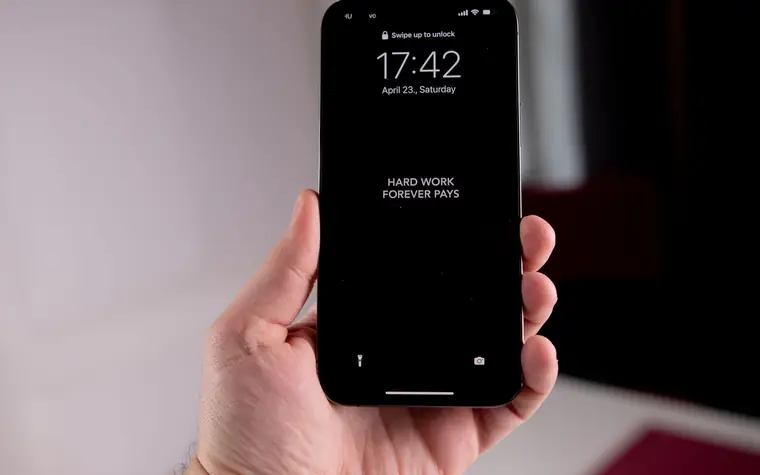
Why locking comes before calling the carrier
Most people call the carrier first. But suspending the line first can cut the handset off the mobile network, and its location may stop updating. If there is any chance of getting the phone back, borrow someone's phone or a PC and set the remote lock and lost mode first. Locking takes seconds, and suspending the line right afterwards is not too late.
The order looks like this.
- Remote lock and lost mode — lock the screen and display a contact number for whoever finds it.
- Carrier suspension — cut calls, texts and data to stop carrier billing and verification codes.
- Cards and mobile payments — block the physical cards and the payment methods stored on the device.
- Found-property report — open the channels that handsets handed in to post offices, police stations and airports flow through.
- Identity-theft block — stop anyone from opening a new line under your name.
Step 1 — where the remote lock actually lives
On iPhone, sign in to Find My through iCloud on another device or a browser, select the handset, and choose Mark As Lost. The screen locks and shows the phone number and message you enter. On iOS 15 and later, the last location before the battery dies may be preserved, or nearby Apple devices may relay the location.
On Android, Find My Device offers ring, secure device and erase. On a Galaxy handset, Samsung's Find My Mobile is a separate service worth checking as well.
Here, erasing the device is the last resort. A full erase removes it from Find My, so you can no longer see where it is. Activation lock does remain, which makes it hard for anyone else to reuse the handset. Lock it if recovery is still plausible; erase it if you have written the phone off and worry about sensitive data — that is the line to decide on.
Step 2 — suspension, and the gap the SIM leaves
Ask your carrier, through its call centre, website or app, for a lost-device suspension. Once the line stops, calls, texts and data are cut, which sharply reduces the risk of account takeover through SMS codes and of carrier-billed purchases.
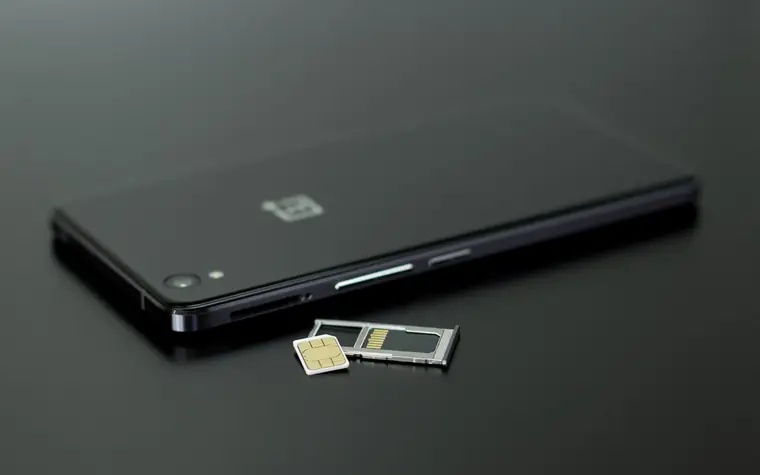
Watch the SIM (USIM). If no SIM PIN is set, whoever has the phone can move the SIM into a spare handset and start receiving texts sent to your number. The short window before the suspension takes effect is the real danger zone. That is why a SIM lock is something to set in advance, not after the loss.
Step 3 — one call blocks every card
If your wallet went with the phone, or cards are stored on the device, block the payment methods too. You do not have to ring every issuer. Korea operates a bulk lost-card report: notify one of the card companies involved and the lost cards you hold with other issuers are reported at the same time. Lost-card reporting is accepted around the clock, weekends and holidays included.
Mobile payment wallets behave differently. Locking the handset makes it hard to pay with the stored cards, but the account itself is still alive on other devices. Sign in from a PC, remove the device registration and change the password to be certain.
Step 4 — file with both found-property channels
Handsets that strangers pick up usually reach post offices, police stations or airports. The service connected to that flow is the Lost Phone Call Centre (handphone.or.kr, 1566-4300), run by the Korea Association for ICT Promotion together with the carriers to return registered handsets to their owners. You can search by handset serial number or phone number.
Adding a report to the National Police Agency lost-property portal (lost112.go.kr) widens the net. The two services collect items through different routes, so an item may appear in only one of them — check both.
Step 5 — stopping a new line in your name
This is the step people skip. If your ID was lost alongside the phone, someone could open a new mobile subscription in your name. The tool for that is the identity-theft prevention service at Msafer (msafer.or.kr), also run free of charge by the Korea Association for ICT Promotion.
Keep the two functions apart. Subscription status inquiry shows how many lines currently exist under your name, while subscription restriction blocks new sign-ups outright. Note that you cannot apply by phone, email or a public complaint board. Identity verification is required, so it is handled on the website, in the app or in person. Any message pushing you to apply while asking for personal details is itself a classic sign of an impersonation text.
Three things people get wrong
1. "A screen passcode is enough." Notification previews still appear on a locked screen. If a verification code is readable there, the lock has done only half its job.
2. "Suspending the line ends it." Even with the line down, messengers and some apps keep working over Wi-Fi. Device locking and account sign-out are both needed.
3. "Erase first, ask later." As noted above, erasing ends location tracking. Judge the odds of recovery before you decide.
Five minutes now, before anything happens
What you can do after the fact is limited. The five minutes of prevention available right now are far more powerful.
- Turn tracking on — enable Find My on iPhone, Find My Device on Android.
- Set a SIM PIN — under cellular settings on iPhone, under security on Android. The initial PIN is set by the carrier, and three wrong attempts require a PUK code, so change it and write it down somewhere safe.
- Hide lock-screen previews — set notifications so content stays hidden while the phone is locked.
- Use six digits or more — avoid birthdays and sequential numbers.
- Turn on backup — with photos and contacts in the cloud, the decision to erase becomes much easier.
If you want account protection as well, setting up two-factor authentication in advance is safer than relying on SMS codes alone.
Frequently asked questions
Q1. Does suspending the line also kill location tracking?
Location updates over the mobile network become difficult. If the handset connects to Wi-Fi, however, a location may reappear. That is precisely why the lock and lost mode should come first.
Q2. Can a powered-off phone still be found?
It depends on the model and the settings. Some devices preserve the last location before shutdown, or relay a location through nearby devices. Tracking must have been enabled beforehand.
Q3. What if it looks like the phone was resold?
Rather than approaching the seller yourself, report it to the police and keep monitoring the found-property channels. If activation lock is on, the other party cannot use the handset normally either.
Q4. What if carrier-billed charges have already appeared?
Ask the carrier for the transaction record and file a dispute, and keep the police report receipt. If cards or bank accounts were affected, notify those companies immediately as well.
Q5. Is a company phone different?
The subscription is in the company's name, so you may not be able to suspend it yourself. Tell the responsible team first and ask for a remote lock or wipe under the device management policy.
This article outlines general procedures; screen names and steps vary by handset, carrier and service policy. Confirm actual requirements and contact details with your carrier and with the official guidance of the Lost Phone Call Centre and Msafer.
All content is fact-checked under our editorial standards.