
How to Reduce Digital Eye Strain — Habits for People Who Look at Screens for Long Hours
Many people find that after switching between their smartphone, laptop, and tablet all day long, their eyes feel dry and blurry by evening. The eyes feel heavy, focus doesn't come easily, and tears well up for no apparent reason. This eye discomfort that appears when you look at screens for a long time is commonly called digital eye strain. Even if it isn't a specific illness, it's an everyday symptom that can happen to anyone when poor screen habits accumulate. As remote work and online learning have grown, so has the number of people reporting this discomfort. Fortunately, the eyes are as quick to recover as they are sensitive, so even a small change in habits can make your eyes noticeably more comfortable by the end of the day. This article focuses not on medication or treatment, but on lifestyle habits you can start practicing today.

Why Do Eyes Get Tired from Looking at Screens for a Long Time?
When we look at a screen, our eyes tense the muscles inside them to keep focus at a close distance. Holding focus at the same distance for a long time keeps these muscles from resting, and fatigue builds. Another easily overlooked factor is blinking. When people concentrate on something, they unknowingly blink less often, and when blinking decreases, the tear film covering the surface of the eye dries out easily. As a result, the eyes feel dry and gritty. Add dry indoor air, lighting that is too bright or too dark, and an improper distance from the screen, and the discomfort grows. In other words, digital eye strain often arises from a combination — focusing strain, reduced blinking, and the surrounding environment — rather than from any single cause. That's why the solution, too, is not one secret trick but an approach of changing several small habits together.
The 20-20-20 Habit to Rest Your Eyes
The most widely known method is the 20-20-20 rule. If you've looked at a screen for about 20 minutes, look at something far away — about 20 feet (roughly 6 meters) — for 20 seconds. Briefly resting your eyes on a building outside the window or a distant object relaxes the strained focusing muscles, and in the meantime you naturally blink, restoring the tear film. If it's hard to keep the timing exactly, it becomes easier to practice if you set a reminder or weave it into your day by glancing out the window each time you get up to drink water. There's no need to be bound to the numbers. The key is to regularly release the focus locked onto a nearby screen, so even if it isn't exactly 20 minutes, just frequently looking far away and resting your eyes is plenty meaningful.
Consciously practicing slow, complete blinks also helps. Even just gently closing and opening your eyes while concentrating spreads tears again over a dry eye surface. In particular, when you read subtitles or small text on a screen for a long time, blinking tends to decrease more easily, so it's especially good to consciously rest your eyes at such moments.
Matching the Screen and Environment to Your Eyes
- Distance and height: Keep the monitor about an arm's length away (about 50–70 cm), with the top of the screen slightly below eye level. When your gaze tilts slightly downward, less of the eye is exposed, which reduces dryness.
- Brightness: Set the screen so it isn't excessively brighter or darker than the surrounding environment. A brightness similar to white paper is comfortable.
- Lighting: Reflections of a window or light on the screen make the eyes more tired. Adjust the screen angle or position to avoid glare.
- Humidity: In a dry room, tears evaporate faster. Ventilate and maintain appropriate indoor humidity, and keep air-conditioner or heater airflow from blowing directly on your face.
Refining Your Screen Habits Across the Whole Day
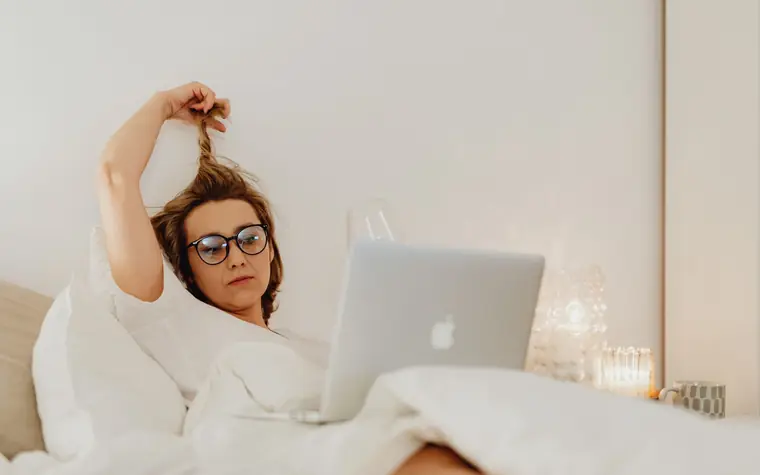
A rhythm of resting now and then is more comfortable for the eyes than looking for a long time at once. When a meeting or task runs long, it's good to get up from your seat and move about once an hour. At these times your eyes also get to look far away, making for a natural rest. Even briefly getting some outside air and looking at a distant view during lunch or a break is a good change of pace for eyes that have been looking only at a nearby screen indoors.
If the text is so small that you squint, increase the font size or zoom on your screen. Straining to peer at a screen burdens not only the eyes but also the neck and shoulders. When looking at a screen in a dark room at night, lowering the brightness and moving the screen a little farther from your eyes reduces glare. The habit of looking at a bright screen up close right until you fall asleep can affect not only eye fatigue but also falling asleep, so it's recommended to gradually reduce screen time before bed.
Common Misconceptions
"If your eyes are tired, it must mean an eye disease has developed" — Temporary fatigue from screen use mostly improves with rest and corrected habits. However, if symptoms last a long time or are severe, don't judge on your own; a check is needed.
"If you push through and keep looking until your eyes hurt, they'll toughen up" — The eyes are not a muscle that gets toughened. Ignoring fatigue signals and continuing to look only increases the discomfort. Resting frequently, even briefly, is better.
"Looking at a screen in the dark ruins your eyesight" — There's no clear evidence that a dark environment itself permanently worsens eyesight, but it's true that a large difference in brightness makes the eyes tire more easily. Balancing the ambient lighting with the screen brightness is comfortable.

Frequently Asked Questions
Do I have to wear blue-light-blocking glasses?
You can use them if they feel comfortable for your eyes, but the bigger cause of eye strain lies in holding focus for a long time and blinking less. The habit of resting and blinking often comes before glasses. If you're unsure about which product to choose, consult a professional.
What should I do when my eyes feel dry?
Take your eyes off the screen for a moment, look far away, and blink slowly. If the room is dry, ventilation and humidity control also help, and it's good to turn the air conditioner or heater airflow away so it doesn't blow directly on your face. Whether to use eye medication or artificial tears is not covered in this article, and if the discomfort recurs or is severe, it's safe not to judge on your own but to consult an ophthalmologist.
Does the same method work if my child looks at a tablet for a long time?
The basic principle is the same. It's good to have them move away from the screen at set intervals and to increase time spent looking far away outdoors. However, children may not express discomfort well, so if they frequently rub their eyes or try to hold the screen close, keep an eye on them. If you're worried about the eye health of a growing child, having it checked regularly at an ophthalmologist provides peace of mind.
This article is general health information and does not replace medical diagnosis or treatment. If eye symptoms persist, consult an ophthalmologist.
All content is fact-checked under our editorial standards.