
If You Tapped a Fake Parcel Text Link -- What to Do Depends on Whether You Opened It, Entered Details, or Installed an App
Many people have tapped the link in a text like "Your parcel was returned, please confirm your address" and broken into a cold sweat a moment later. Two mistakes are common here. One is to brush it off and assume nothing happened. The other is to panic and type more details into a fake screen. The right move is to work out how far things went first. What you should do differs depending on whether you only opened the link, entered information, or even installed an app. This post lays out, step by step, the procedures confirmed in guidance from the Korea Internet & Security Agency (KISA) Boho Nara and government consumer notices.
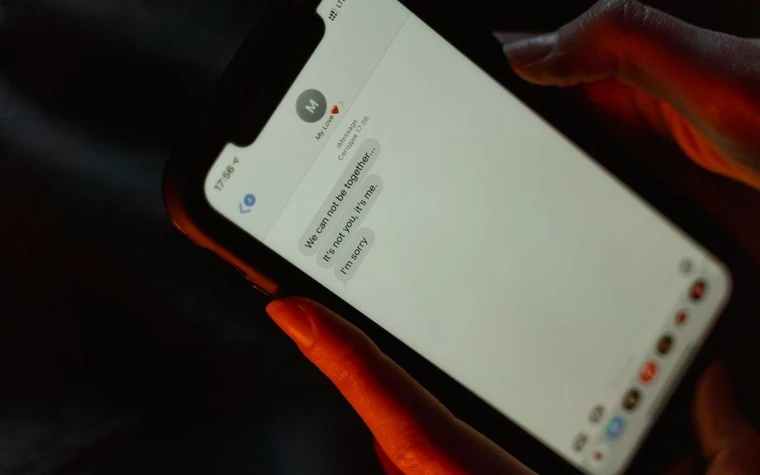
First, sort out which of three stages you reached
- Stage 1, you only opened the link: you looked at the screen and closed it right away, without entering or installing anything.
- Stage 2, you entered information: you typed any of your name, resident registration number, card number, account password or an authentication code.
- Stage 3, an app was installed: you followed a prompt such as "install package" or "update" and downloaded and installed a file.
If you are not sure what you did, it is safer to act as though you reached the higher stage. Just follow the parts that apply to you.
Stage 1: if you only tapped the link, check for downloaded files first
Security industry explanations say that damage more often starts from the app installation or information entry that follows than from the tap alone. Even so, check three things. First, look in the download folder of "My Files" for an .apk file created after the time you tapped. Second, check your app list for any app you do not recognize. Third, take a screenshot of the text before deleting it. It becomes evidence when you report it or dispute a micropayment. If nothing looks wrong you can stop there, but do not open the same text again.
Stage 3: if an app was installed, cut the connection first
Boho Nara's response guidance says that when malicious app infection is suspected, the first thing to do is switch to airplane mode. This keeps the malicious app from sending your texts, contacts and authentication codes outside. Then delete the app or factory-reset the device. If the delete button will not respond or the app does not show up, it is better to have the device reset at the manufacturer's service center or a carrier store. If money is being lost right now, the guidance says to report to 112 immediately.
The order for removing a malicious app on Android
- Delete the apk: remove any apk file created after the time you tapped the text.
- Scan with a mobile antivirus: detect and clean it with an antivirus from an official app store.
- Turn off "install unknown apps": switch off the install permission for that app in Settings.
- Reset: if that does not solve it, factory-reset the device.
An iPhone does not work by installing apk files, so an app being installed is less likely, but if you entered login details on a fake site, that is Stage 2. To block this in advance, Boho Nara advises turning on "automatic blocking of security risks" in the security menu of Settings. The menu name differs by manufacturer, so type "security risk" in the Settings search box to find it.
Stage 2: if you entered information, block the financial side first
The order that Boho Nara's guidance tells you to go through when financial loss is a concern has four steps.
- Register in the Financial Supervisory Service's personal information exposure accident prevention system: after identity verification on the FSS website (pd.fss.or.kr), choose smishing as the reason for exposure and upload a copy of your ID. Once registered, financial companies add extra checks or block loans, card issuance and account opening.
- Look up accounts in your name at the Korea Financial Telecommunications and Clearings Institute: see whether any account you do not know about exists.
- Check for phone identity theft at the Korea Association for ICT Promotion (KAIT): the method is in how to check for lines secretly opened in your name.
- Apply for credit transaction blocking: visit a financial company to stop new loans from being issued.
If you also entered a card number or account password, call the card company and bank customer centers and start with reissuing the card and changing the password, and change other accounts that use the same password.
If micropayment losses occurred, gather the evidence
According to government consumer guidance, the order is to get a micropayment confirmation from the carrier's customer center (114), report to the cyber investigation unit of a police station, and demand compensation from the carrier. The payment record and the screenshot you saved are the key materials. Going forward, lower or block the payment limit in your carrier app. The method is covered in checking and blocking your mobile billing limit. Whether you are compensated, and how much, differs case by case and cannot be stated flatly, so judge it from the carrier's reply and the investigation results.
Each reporting number handles a different job
- 118: the KISA 118 consultation center. It takes smishing reports and consultations.
- 182: the National Police Agency's cybercrime reporting line. This is the one if you suffered damage.
- 112: for urgent cases, such as when money is leaving your account right now.
- 1332: the Financial Supervisory Service consultation number, for financial damage.
If you cannot tell whether a text is real, add the "Boho Nara" channel as a friend on KakaoTalk and paste the text into the "smishing" menu; the guidance says you get a verdict within 10 minutes. For reporting phone numbers, see 112 and 118 handle reports differently.
The order in summary, and how to avoid being fooled next time
The order is: screenshot, judge the stage, airplane mode and deletion if installed, FSS registration and reissuing if you entered information, and the micropayment confirmation and a report if payments went through. For prevention, the surest way is not to tap links in texts and instead look up the tracking number directly in the courier's official app. Tips for telling such texts apart are in how to spot smishing and phishing texts. This post is general information compiled from public agency guidance and does not replace a legal judgment or a decision on compensation in any individual case, so contact the police, your financial company and your carrier directly about specific damage.
All content is fact-checked under our editorial standards.